Archive for the ‘ntp server’ Category

The Hidden Cost of Free Time

Monday, March 16th, 2009

If you are reading this then you are probably aware of the importance time plays in IT systems and computer networks. Most computer administrators appreciate that precise time and accurate synchronisation are an important aspect of keeping a computer network error free and secure.

And yet, despite its importance many network administrators still rely on the Internet as a source of UTC time for their networks (UTC – Coordinated Universal Time), primarily because they see it as a quick and more importantly a free method of time synchronisation.

However, the drawbacks in using these free services may cost a lot more than the money saved on a dedicated NTP time server.

NTP (Network Time Protocol) is now present on nearly all computers and it is NTP that is used to synchronise computer systems. However, if an Internet time source is used then the source is outside the network firewall and this creates a serious vulnerability. Any external time source will require a port to be left open in the firewall to allow the time information packets through and this opening is too easy a way to exploit a network which can become victim to a DDOS attack (Distributed Denial of Service) or even allow malicious programmes through to take control of the machines themselves.

Another problem is the availability of stratum 1 time sources across the internet. Most online time sources come from stratum 2 time servers. These are devices that receive the time from a time server (stratum 1) that originally gets the information from an atomic clock (stratum 0).  While stratum 2 devices can be just as accurate as stratum 1 time servers, across the internet without NTP authentication the actual accuracy can not be guaranteed.

Furthermore, internet time sources have never been considered accurate or precise with surveys showing over half being inaccurate by over a second and the rest dependent on the distance from client as to whether they can provide any useful accuracy. Even organisations such as NIST publish  advisory notices on their time server pages about it unable to guarantee security or accuracy and yet millions of networks are still receiving time from across the internet.

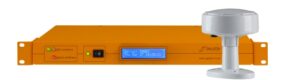
With the decline in cost of dedicated radio referenced NTP time servers or GPS NTP server there has never been a better time to get one. And when you consider the cost of a computer breach or crashed network the NTP server will have paid for itself many times over.

Network Time Server Dual Signals

Friday, March 6th, 2009

A network time server (commonly referred to as the NTP time server after the protocol used in synchronisation – Network Time Protocol) is a device that receives a single time signal and distributes it to all devices on a network.

Network time servers are preferred as a synchronisation tool rather than the much simpler internet time servers because they are far more secure. Using the internet as a basis for time information would mean using a source outside the firewall which could allow malicious users to take advantage.

Network time servers on the other hand work inside the firewall by receiving source of UTC time (Coordinated Universal Time) from either the GPS network or specialist radio transmissions broadcast from national physics laboratories.

Both of these signals are incredibly accurate and secure with both methods providing millisecond accuracy to UTC. However, there are downsides to both systems. The radio signals broadcast by nation time and frequency laboratories are susceptible to interference and locality, while the GPS signal, although available literally everywhere on the globe can occasional be lost too (often due to bad weather interfering with the line-of-sight GPS signals.

For computer networks where high levels of accuracy are imperative, dual systems are often incorporated. These network time servers receive the time signal from both the GPS network and the radio transmissions and select an average for even more accuracy.  However, the real advantage of using a dual system is that if one signal fails, for what ever the reason, the network will not have to rely on the inaccurate system clocks as the other method of receiving UTC time should still be operational.

Does My Business Need Accurate Time Synchronisation Five question (part 1)

Thursday, February 19th, 2009

Time synchronisation can be crucial for many computer networks. Correct synchronisation can protect a system from all sorts of security threats it will also ensure that the network is accurate and reliable but are dedicated NTP time server systems really necessary or can a network be run securely without a network time server?

Here are five questions to ask yourself to see if your network needs to be adequately synchronised.

1.  Does your network conduct time sensitive transactions across the internet?

If yes then accurate network time synchronisation is essential. Time is the only point of reference a computer has to identify two events so when it comes to a transaction across the internet such as sending an email, if it comes from an unsynchronised network, it may arrive before it was technically sent. This may lead to the email not being received as a computer cannot handle negative values when it comes to time.

2. Do you store valuable data?

Data loss is another ramification of not having a synchronised network. When a computer stores data it is stamped with the time. If that time is from an unsynchronised machine on a network then a computer may consider the data already saved or it may overwrite new data with older versions.

3. Is security important to your business and network?

Keeping a network secure is essential if you have any sensitive data on the machines. Malicious users have a myriad of ways of gaining access to computer networks and using the chaos caused by an unsynchronised network is one method they frequently take advantage of. Not having a synchronised network may mean it is impossible to identify if your network has been hacked into too as all records left on log files are time reliant too.

NTP Server Time Tired of Inaccurate and Insecure Time

Monday, February 16th, 2009

The internet has been a marvellous resource for business over the last decade. High speed access and the proliferation of computers in homes and offices alike have turned the World Wide Web into the main business arena for many companies.

With more and more transactions being conducted from opposite ends of the world across the internet, the need for an accurate and precise clock to keep computer networks synchronised has never been greater.

Most of the world’s computer networks, synchronise to a source of UTC (Coordinated Universal Time) which is the worldwide standard and is controlled by atomic clocks. A worldwide standard for synchronising the clocks has been developed also. NTP (Network Time Protocol) is a software algorithm that distributes UTC amongst a network’s clocks and adjusts the time accordingly.

Many computer network administrators turn to the internet as a source of NTP server time as there are a multitude of sources of UTC time. However, many internet sources of NTP time cannot be relied upon to provide accurate time. Surveys have discovered more than half of all internet time servers were inaccurate by over a second and even those that are not, they could be too far away to provide any useful precision.

More importantly, however, is that internet based NTP servers are external to a network’s firewall so any regular communication with a NTP server will require the firewall port to be left open allowing easy access for malicious users to take advantage of.

The only solution for getting a source of NTP server time, whilst keeping a network secure, is to use an external stratum 1 NTP time server. These devices communicate directly with an atomic clock either via the GPS satellite network or long wave radio signals. Because these devices operate from with the firewall the entire network is kept secure whilst the NTP server distributes an accurate, precise and source of UTC time.

Using GPS to Synchronise Network Time

Wednesday, February 11th, 2009

The global positioning system has been around since the 1980’s. It was designed and built by the United States Military who wanted an accurate positioning system for battlefield situations. However, following the accidental shooting down or a Korean airliner, the then US president (Ronald Reagan) agreed that the system should be allowed to be used by civilians as a way of preventing such a disaster from occurring again.

From then on the system has broadcast in to two frequencies L2 for the US Military and L1 for civilian use. The system works by using ultra precise atomic clocks that are on board each satellite. The GPS transmission is a timecode produced from this clock combined with information such as the position and velocity of the satellite. This information is then picked up by the satellite navigation receiver that calculates how long the message took to reach it and therefore how far from the satellite it is.

By using triangulation (use of three of these signals) the exact position on Earth of the GPS receiver can be ascertained. Because the speed of the transmissions, like all radio signals, travels at the speed of light it is highly important that the GPS clocks are ultra-precise. Just one second of inaccuracy is enough to make the navigational unit inaccurate to over 100,000 miles as light can travel such vast distances in such a short space of time.

Because GPS clocks have such a high level of accuracy it means they also have another use. The GPS signal, being available anywhere on the planet, is a highly efficient means of getting a time signal to synchronise a computer network too. A dedicated GPS time server will receive the GPS signal then convert the atomic time signal from it (known as GPS time) and convert it to UTC (Coordinated Universal Time) which is simple to do as both timescales are based on International Atomic Time (TAI) and the only difference being GPS time does not account for leap seconds meaning it is ‘exactly’ 15 seconds faster.

A GPS time server will most likely use the protocol NTP (Network Time Protocol) to distribute the time to a network. NTP is by far the most commonly used network time protocol and is installed in most dedicated time servers and a version is also included in most Windows and Linux operating systems.

UTC and Global Synchronisation

Monday, February 9th, 2009

A global economy has many benefits allowing trade and commerce to be conducted relatively pain free from the other sides of the planet. But conducting business with other countries can have its problems most notably time differences.

We are used to the fact that when we go to bed in Europe, those in Australasia are jest getting up and for many businesses, knowing the time in the country that you trade in is essential. However many global transactions are now conducted online and quite often completely automated.

For this reason computers need to know the exact time too, particularly if they are selling products and services that have a limited quantity and any miscalculation in the time can cause untold errors. For instance, if people across the globe wish to buy an airline ticket from an American broker then the computer needs to know who ordered the seat first otherwise there could be a risk of double-booking.

For this reason a global timescale has been developed allowing the whole world to synchronise to one timescale. This global timescale is commonly known as UTC (Coordinated Universal Time) and is based onthe old timescale GMT (Greenwich Meantime) although it accounts for the slowing of the Earth due to tidal and lunar forces.

UTC is kept accurate by atomic clocks that boast an accuracy of a second every 100 million years, however, atomic clocks are highly expensive to own, operate and run and are therefore impractical for a business that just wants to keep accurate UTC.

For this reason the dedicated NTP time server has been developed that can receive a transmitted time signal from an atomic clock and synchronise an entire computer network to it.

The NTP time server can receive a time signal directly from a physic laboratory using a long wave receiver or more conveniently using the GPS signals that are transmitted by satellites 30,000 km above the Earth.

By using a NTP time server a business network can be kept to within a few milliseconds of UTC (thousandth of seconds) ensuring that they can trade and do business with complete and accurate synchronisation.

Does your Business Need a NTP time server? Five Questions to Ask Yourself

Wednesday, February 4th, 2009

1. The business world is now more global than ever with as much likelihood of  your customer’s being from the other side of the planet as from around the corner. Any transactions conducted virtually across the Internet require adequate time synchronisation otherwise your company can be open to abuse or fraud, customers may claim they paid you at a certain time but how do you ascertain if they have without adequate synchronisation?

2. Does your system conduct time sensitive transactions? Computers have only one reference between events and that is time. If a network is not synchronised then many events and transactions may fail to happen. This can have a knock-on effect as one transaction or event fails so do others and without adequate synchronisation it may be quite a while before anyone realises the errors.

3. Do you have valuable or sensitive data? A lack of synchronisation can often lead to data loss. Storage and retrieval is also time reliant so if a computer believes the time data should have been saved has past then it may assume the data is already saved. The problem can be exaggerated if the data is continually updated as the inaccurate timestamps may mean that certain updates are not completed.

4. Is security important to your business? A lack of time synchronisation can leave a computer network open to malicious users, hackers and even fraud. If computers on a network are running different times then this can be exploited by malicious users and without time synchronisation you may not even know they have been there. A perfectly synchronised network will also offer legal protection with a NTP server (Network Time Protocol) being auditable and unquestioned in a court of law.

5. Is the credibility of your company important? A lack of synchronisation can be extremely costly not just in time and money but also in the credibility of your company. Without synchronisation a network will be vulnerable to mistakes and while these may be easily rectified once a customer has to complain word will soon get out.

Running a synchronised network adhering to Universal Coordinated Time (UTC) the world’s standard timescale is fairly simple. Dedicated NTP time servers that receive a UTC time source from either a radio transmission or the GPS network (Global Positioning System).are readily available, simple to set up, accurate and secure.

Time Server Synchronisation The basics

Monday, February 2nd, 2009

NTP (Network Time Protocol) is an internet based protocol designed to synchronise the clocks on a computer network. It is the main time synchronisation software used in computer networks and is also packaged with most operating systems.

An NTP server is a dedicated device that receives a single time source then distributes it amongst all devices on a network. The protocol NTP monitors the drift of the internal clocks on a network and corrects for them.

An NTP server can receive a time source from either a national physical laboratory such as the UK’s National Physical Laboratory (NPL), however, these time signals are broadcast via long wave radio and have finite range.

GPS NTP servers are designed to receive the time source generated by the atomic clocks onboard GPS satellites (Global Positioning System). GPS is available anywhere on the planet as a time source as long as there is a clear view of the sky.

Without correct synchronisation all sorts of potential problems can occur such as leaving a computer system vulnerable to fraud, malicious users and hackers. An unsynchronised computer network may also lose data and be difficult to audit.

A global timescale called UTC (Coordinated Universal Time) has been developed to ensure the entire world uses the same timescale. The NTP server utilise UTC ensuring the computer network is telling the same time as every other computer network.

Five Reasons Why Your Business Needs an NTP Server (Part 1)

Tuesday, January 27th, 2009

Most businesses these days rely on a computer network. Computers in most organisations conduct thousands of tasks a second, from controlling production lines; ordering stock; preparing financial records and communicating with computers on other networks – often from the other side of the world.

Computers use just one thing to keep track of all these tasks: time. Timestamps are the computers only reference for when an event or task occurs in relation to other events. They receive time in the form of timestamps and they measure time in periods of milliseconds (thousandth of a second) as they may conduct hundreds of processes each second.

A global timescale known as UTC (Coordinated Universal Time) has been developed to ensure computers from different organisations all over the world can synchronise together. So what happens if the clocks on computers don’t coincide with each other or with UTC?

The consequences of running a network with computers that are not synchronised can be disastrous. Here are five reasons why all businesses need adequate network synchronisation using a NTP server (Network Time Protocol) or other network time server device.

1. Tasks fail to happen:

When computers are running at different times, events on different machines can fail to happen as often a PC may assume an event on another machines has already happened if the time for that event has passed according to its own clock. And what is worse, when one task fails it has a knock-on effect with other tasks failing to happen and in turn causing further tasks to fail.

2. Loss of Data:

When tasks fail to happen it soon gets noticed but when networks are not synchronised data that is meant to be kept can quite easily be lost and it can go unnoticed for quite a while. Data can be lost because storage as and retrieval is also reliant on time stamps.

NTP Server 5 Steps to Network Synchronisation

Wednesday, January 21st, 2009

Synchronising a network is often considered a headache by network administrators who fear that getting it wrong can lead to disastrous results and while there is no deny that a lack of synchronisation can cause unforeseen problems particularly with time sensitive transactions and security, perfect synchronisation is simple if these steps are followed:

1. Use a dedicated NTP server. The NTP server is a device that receives a single time source then distributes it amongst a network of computers using the protocol NTP (Network Time Protocol) one of the oldest Internet based protocols and by far the most widely used time synchronisation software. NTP is often packaged with modern operating systems such as Windows or Linux although there is no substitute for a dedicated NTP device.

2. Always use a UTC time source (Coordinated Universal Time). UTC is based on GMT (Greenwich Meantime) and International Atomic Time (TAI) and is highly accurate. UTC is used by computer networks all over the world ensuring that commerce and trade are all using the same timescale.

3. Use a secure an accurate time signal. Whilst time signals are available all over the Internet they are unpredictable in their accuracy and while some may offer decent enough precision an Internet time server is outside a networks firewall which if left open to receive a timecode will cause vulnerabilities in the security of the network. Either GPS (global positioning system) or a dedicated radio signal such as those transmitted by national physics laboratories (such as MSF – UK, WWVB - USA, DCF –Germany) offer secure and reliable methods of receiving a secure and accurate time signal.

4. Organise a network into stratum, levels. Strata ensure that the NTP server is not inundated with time requests and that the network bandwidth doesn’t become congested. A stratum tree is organised by a few select machines being stratum 2 devices in that they receive a time signal from the NTP server (stratum 1 device) these in turn distribute the time to other devices (stratum 3) and so on.

5. Ensure all machines are utilising UTC and the NTP server tree. A common error in time synchronisation is to not ensure all machines are properly synchronised, just one machine running inaccurate time can have unforeseen consequences.